GRDINT -- Vector Grid Interpolation

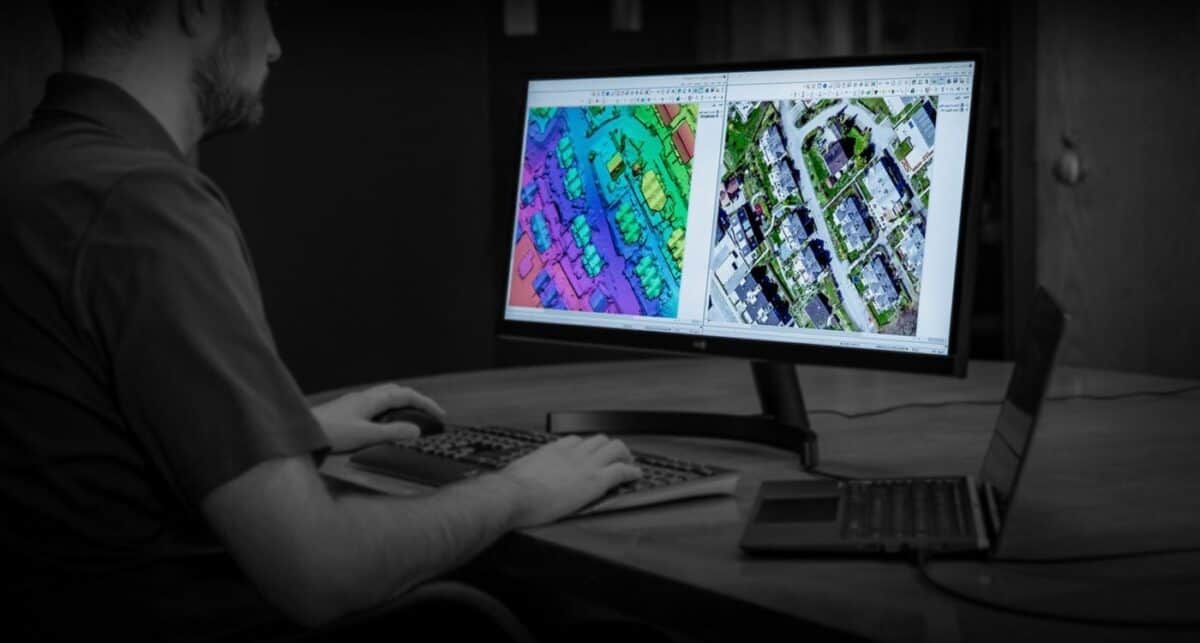
Grids (fills in) the raster image channel, by interpolating image data between encoded vector data (normally created by the GRDVEC program). GRDVEC and GRDINT can be used to create digital elevation models (DEM).

Progress of this program can be monitored. See MONITOR section.

See Also: GRDPIN, GRDPNT, GRDVEC

PARAMETERS

GRDINT is controlled by the following global input parameters:

Name     Prompt                                  Count     Type
FILE     Database File Name                      1-64      Char
DBIC     Database Input Channel List             1         Int
DBOC     Database Output Channel List            1         Int
BACKVAL  Background Grey-level Value             1         Real
INTMETH  Interp. Method:CONIC/DIAG/SMOOTH        1-5       Char

FILE

Specifies the PCIDSK database file containing input and output image channels.

 EASI>FILE="filespec"

DBIC

Specifies the input channel storing 4-connected encoded vectors. Normally, the input channel is encoded by running the GRDVEC program. The input channel can be any data type.

 EASI>DBIC=i

DBOC

Specifies the output channel to store the interpolated raster image. The output channel can be any data type.

 EASI>DBOC=i

BACKVAL

Specifies the background value for the input image.

 EASI>BACKVAL=i
All input pixels NOT set to the background value are assumed to be encoded lines, which were entered by the GRDVEC program or by other means. Values are interpolated for all input pixels having the background value. BACKVAL should be the same data type as the input channel. Normally, BACKVAL is set to zero.

INTMETH

Specifies which variation of the MDIP algorithm to use. Details on the meaning of these options are explained in the ALGORITHM section of this documentation.

 EASI>INTMETH="DIAG"    | Diagonal search:  produces many artifacts
 EASI>INTMETH="SMOOTH"  | Smoothed diagonal search:  fewer artifacts
 EASI>INTMETH="CONIC"   | Conic search:  very slow, fewest artifacts
The diagonal search is the original algorithm employed by the previous version of this program. The other two methods are new. The conic search method produces the best results, but can be up to 15 times slower than the other two methods.

DETAILS

GRDINT (preceded by GRDVEC) is used in gridding vector data. Gridding is the process of creating a raster image grid, given vector (line and point) data. GRDINT can interpolate or fill in elevation data between contour lines, which have been encoded into an image channel by GRDVEC.

GRDINT interpolates pixel values stored on an image channel (DBIC) on a database file (FILE), and saves results on an output image channel (DBOC). An interpolated value is calculated for each input pixel value which is not set to the background value (BACKVAL).

The user can choose one of three different algorithms for performing grid interpolation: Diagonal search (INTMETH="DIAG"), smoothed diagonal search (INTMETH="SMOOTH") and conic search (INTMETH="CONIC"). These are described in more detail in the Algorithms section.

GRDINT can be very slow for large files. This is especially a problem for files with large empty spaces, since searches are made out from each pixel of the background value till something that is not background is found. Completely empty images take the most time. An nearly empty 1000x1000 database might take 30 minutes on a Pentium Pro 200, while with reasonably dense contours burned in it might only take 3 minutes.

MONITOR

Program progress can be monitored by printing the percentage of completed processing in odometer fashion. A system parameter, MONITOR, controls this activity:

 EASI>MONITOR="ON"           | turn monitor ON  (default)
 EASI>MONITOR="OFF"          | turn monitor OFF (recommended if
                             | running in batch/background mode)

ALGORITHM

GRDINT uses the MDIP (Morphology-Dependent Interpolation Procedure) algorithm to calculate the grey-level value at each background (unencoded) pixel in the input image. Encoded vector data values in the input image are not changed.

The algorithm is described on pages 582-586 in the following paper:

 Carrara, Alberto.  "Drainage and Divide Networks Derived from 
 High-fidelity Digital Terrain Models".  Proceedings of
 the NATO Advanced Study Institute on Statistical Treatments for
 Estimation of Mineral and Energy Resources, II Ciocco (Lucca),
 Italy, June 22-July 4, 1986.  D. Reidel Publishing Company, 
 Dordrecht, Holland (1988).  pp. 581-597.
In short, the input image around each pixel with the background value is searched in 8 directions (up, down, left, right, and four diagonals) for the location of the two nearest encoded contour lines. Each pixel is classified morphologically as residing on a slope, a depression, or a peak. The interpolation algorithm depends on this classification. The algorithm requires that contour lines be encoded into the input image using 4-connected lines, (lines are all connected by pixels in four directions, up, down, left, and right, but not along diagonals). If lines are 8-connected rather than 4-connected, the algorithm might "miss" a contour line when searching in the diagonal directions.

In order to reduce the number and severity of artifacts produced by this algorithm, GRDINT operates using one of three selectable variations on the algorithm.

INTMETH="DIAG" (diagonal search algorithm) uses the data already calculated above the current point to add artificial smoothing to the basic MDIP algorithm. The DIAG method can only be used with 4-connected contour lines.

INTMETH="CONIC" (conic search) searches along 22.5 degree cones, instead of along diagonal lines. This avoids some of the artifacts but is MUCH slower. It produces output quite true to the MDIP algorithm. The CONIC method (like the DIAG method) uses previously calculated data, to provide extra smoothing. The CONIC method can be used with 8-connected contour lines.

INTMETH="SMOOTH" (smoothed diagonal search) uses diagonal line searches, but calculates a weighted averaging on slopes, instead of interpolating along the steepest slope. This method does not use previously computed results to add smoothing.

EXAMPLE

The EXAMPLE section of the GRDVEC program documentation provides a description of how to create an elevation image (DEM) from scratch, given a topographic map with elevation contours. Normally, VECDIG, CLR, GEOSET, and GRDVEC must be run prior to running GRDINT, and a filtering program (FME or FAV) should be run on the output image from GRDINT.

GRDINT can be used to interpolate data, regardless of its source. For example, suppose we have the following 16 by 16 image, stored in a text file, GRIDTEST.TXT:

   0   0   0   0   0   0   0   0   0   0   0   0  30   0   0   0
   0   0   0   0   0   0   0   0   0   0   0   0  30   0  20  20
   0   0  20  20  20   0   0  30  30  30   0   0  30   0  20   0
   0  20  20   0  20  20   0  30   0  30  30   0  30   0  20   0
  20  20   0   0   0  20   0  30   0   0  30  30  30  30  20  20
  20   0  10  10  10  20  30  30  40  40  40  30   0  30   0  20
  20   0  10   0  10  20  30   0  40   0  40  30   0  30   0  20
  20  20  10   0  10  20  30  30  40  40  40  30   0  30   0  20
   0  20  10  10  10  20   0  30   0   0  30  30   0  30   0  20
   0  20  20   0  20  20   0  30  30  30  30   0   0  30   0   0
   0   0  20  20  20   0   0   0   0   0   0   0   0  30   0   0
   0   0   0   0   0   0   0   0   0   0   0   0   0  30   0   0
   0   0   0   0   0   0   0   0   0   0   0   0   0  30  30  30
  30  30  30  30   0   0   0   0   0   0   0   0   0   0   0   0
   0   0   0  30  30  30  30   0   0   0   0   0   0   0   0   0
   0   0   0   0   0   0  30   0   0   0   0   0   0   0   0   0
Create a 16 by 16 database file with two 8-bit channels, then run the NUMREAD program to read the text file and store 8-bit data in the first image channel.

 EASI>FILE="gridtest.pix"
 EASI>DBSZ=16,16
 EASI>DBNC=2
 EASI>RUN CIM

 EASI>TFILE="gridtest.txt"
 EASI>NUMFORM="DATA"
 EASI>DBOC=1
 EASI>RUN NUMREAD
Perform grid interpolation of the image channel, and print the results using the NUM program. This example uses the diagonal search method.

 EASI>DBIC=1
 EASI>DBOC=2
 EASI>BACKVAL=0
 EASI>INTMETH="DIAG"
 EASI>RUN GRDINT

 EASI>DBIC=2
 EASI>DBIW=0,0,16,16
 EASI>REPORT=
 EASI>RUN NUM
 NUM     Database Image Numeric Window  V5.1 EASI/PACE  15:07 20-Nov-92
 
 grid.pix                      [S    5PIC      16P      16L]  20-Nov-92
 2 [ 8U] GRDINT  Interpolated grid image:  DBIC=  1, INTMETH=DIAG  

 Offset: (       0,       0)  Size: (      16,      16)

                                          1   1   1   1   1   1   1
      1   2   3   4   5   6   7   8   9   0   1   2   3   4   5   6
   +---------------------------------------------------------------
  1| 20  20  20  22  22  23  24  25  24  27  28  29  26  25  24  22
  2| 20  21  22  21  24  25  26  27  27  26  27  28  30  25  20  20
  3| 20  20  20  20  20  23  23  30  30  30  27  28  30  25  20  20
  4| 20  20  20  20  20  20  25  30  33  30  30  28  30  25  20  20
  5| 20  20  15  15  15  20  25  30  35  35  30  30  30  30  20  20
  6| 20  15  10  10  10  20  30  30  40  40  40  30  30  30  25  20
  7| 20  15  10  10  10  20  30  35  40  40  40  30  30  30  25  20
  8| 20  20  10  10  10  20  30  30  40  40  40  30  30  30  25  20
  9| 20  20  10  10  10  20  25  30  35  35  30  30  30  30  25  20
 10| 20  20  20  15  20  20  25  30  30  30  30  30  30  30  25  26
 11| 21  22  20  20  20  26  26  27  27  28  28  29  29  30  28  27
 12| 25  24  23  23  27  27  27  28  28  28  29  29  29  30  28  28
 13| 27  26  26  25  25  28  28  29  29  29  29  29  29  30  30  30
 14| 30  30  30  30  27  27  29  29  29  29  29  29  29  29  29  29
 15| 30  29  29  30  30  30  30  29  29  29  29  29  29  29  29  29
 16| 30  29  29  29  29  29  30  29  29  29  29  29  29  29  29  29

About PCI Help Gateway